Manual · 04
Baking
Baking solves frames once and stores them in a cache file, so playback and renders cost almost nothing.
Bake This Frame and Bake
Bake This Frame solves the frame you are on and adds it to the cache. Bake solves every frame in the object's frame range. Both add to what is there: re-baking a frame replaces just that frame, and the rest of the cache is not touched. The box under the buttons says which frames are baked.
Frame ranges
Use Scene Frame Range bakes the scene's range. Untick it to give your own: a Start and End, and Add Frame Range for more, so one press of Bake does 20-50 and 70-100 and skips the frames between (the button then reads Bake 20-50, 70-100, or how many frames when that does not fit). Ranges may overlap; a frame is baked once. The × on a row removes it.
Bakes add up. Bake frames 1-100 today and 150-200 tomorrow, and both play.
While it bakes, and stopping
A box at the bottom of the 3D viewport shows how far the bake has got, such as Baking Body: 5 of
24 frames done, and the status bar says the same. The rest of Blender waits for the bake:
nothing can be posed, edited or undone until it ends, so nothing can change under it.
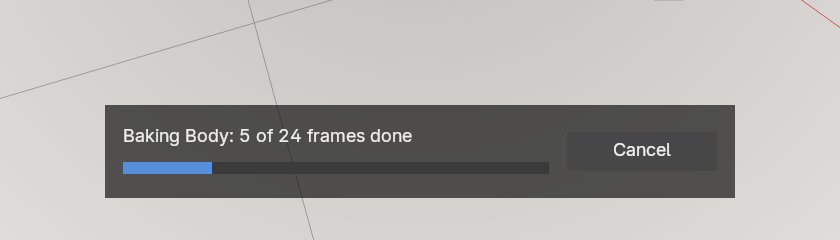 The bake's box at the bottom of the viewport, part way
To stop it, press Cancel in the box, or Esc. Fleshy asks first (Stop the bake? The 5
frames done are kept), and the bake waits while it asks:
- Stop Baking keeps every frame already done and saves it, as if you had baked that shorter range.
- Keep Baking, or Esc again, carries on.
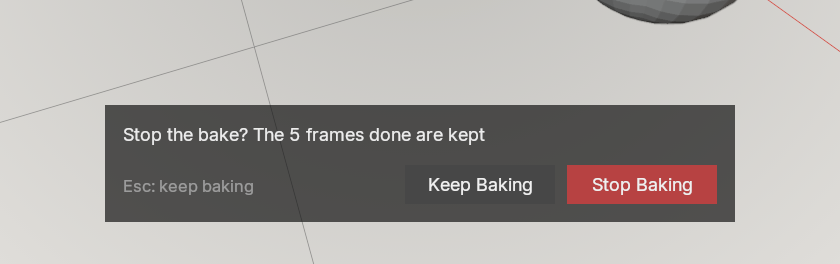 The question when you press Cancel
Blender answers between frames, so a click lands as soon as the frame in hand is done. Bake All works the same way; Bake This Frame is one frame, so it simply runs. A second Blender window is not held: an undo there ends the bake without saving it, and a change there to what is being baked is refused when the bake ends.
Stills
A still render is the same workflow with one frame. Pose the character, press Bake This Frame,
press F12. The frame is in the cache, so it renders, and it survives saving the file and baking
a shot later. A frame that nobody baked renders undeformed, and the panel says Frame N is not
baked.
Several characters, and baking from pose mode
Once anything is set up, the list in the Scene section shows every set-up object in the scene, with what its cache holds. Bake All under the list bakes every one of them, each over its own frame range and with its own settings. If one of them cannot be baked (a mesh that is not all quads, say), the others still are, and the one that failed is named. Its cache is left as it was.
The settings and buttons below the list belong to one object, and its name is shown above them:
- Select a mesh and the panel shows that mesh. Clicking an object in the list selects it and makes it active, as clicking it in the Outliner would.
- In pose mode on the rig, the panel stays up and shows the object you last picked in the list, set up, or baked. Clicking another object in the list switches to it and leaves your pose mode and selection alone. So you can pose, press Bake This Frame, and keep posing.
Smooth Pops
On by default, under the frame ranges. In animation the deformation sometimes jumps from one frame to the next by more than the motion explains: the bulge round a new contact appears at full height in the frame the contact starts, and goes as suddenly when it ends, and now and then a spot pushes in or out for a single frame and comes back. Each reads as a pop.
With Smooth Pops ticked, Bake evens out those jumps over a few frames: a jump becomes a short ramp, and a spot that pushes out for one frame stays in line with the frames around it. The rest of the animation is left as it is.
- Where the animation itself jumps (a cut, a key that snaps, something moved across in one frame) the jump is left as it is: in the mesh, and in what presses on it.
- Fast contact, a slap or a ball rolled quickly, changes a lot from frame to frame by itself, so it is left as it is, pops and all. Slower contact is smoothed.
- While a jump is spread, the flesh gives a little before the contact or after it, for a frame: what presses in can show through the skin slightly in that frame.
- A bake with it on takes a little longer: a few percent on a character. Bake This Frame and Live are never smoothed, since smoothing needs the frames around one. Re-baking a single frame of a smoothed shot leaves that frame unsmoothed: bake a range round it instead.
Turning it on or off changes the result, so frames baked one way are refused the other way until you bake again. Both stay in the cache, as with any setting.